
RepairSolutions2: How to remove Old Vehicles
Step 1 - Select the Settings menu
|
|
|
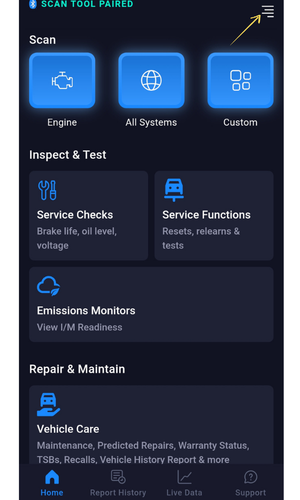
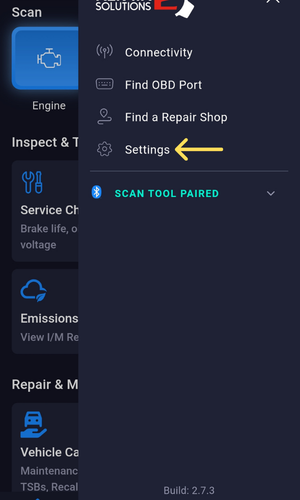
- Select the Settings menu on the screen and you will find your Personal Details.
Step 2 - Select vehicle to delete.

- Under the My Vehicles option, choose the vehicle name that you want to remove or delete by selecting the > button beside the vehicle name.
Note: Vehicle Name format is set according to Year, Make, and Model.
Step 3 – Select Delete Vehicle.

- You can delete your saved vehicle by selecting Delete Vehicle.
Step 4 – Select Delete Vehicle.

- Select the Delete Vehicle option to remove the vehicle history.
Note: A prompt dialogue will notify you that you can't undo the process after deleting or removing all the data of your vehicle's scan result.