
Innova 5610: Transmission Live Data
Step 1 - Press the System Status button
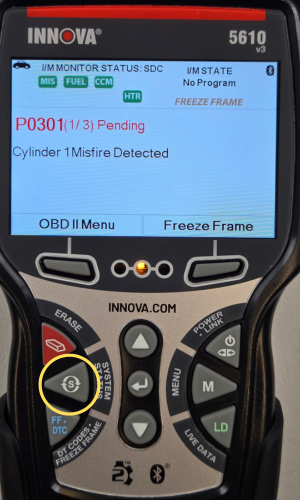
- Press the System Status button to navigate to the System Menu.
Step 2 - From the System Menu, select TCM.

- The System Menu will display.
- Scroll through the option by pressing the DOWN ▼ button and select the TCM option so that the blue bar is on top of the TCM.
Step 3 - While TCM is highlighted, press the LD button.

- While the blue bar is on top of TCM, press the LD button for live data.
- Confirm your vehicle by pressing Yes.
- A One moment please message will display.
Step 4 - View your Transmission Live Data.

- Transmission Live Data will display.
- When you have finished viewing your TCM Live Data information, press the Back button to return to the System Menu.
- Press the Back button to return to the System Menu.
|
|
|


- Certain vehicles will not support TCM live data because it's integrated with ECM( or PCM) live data. If this is the case for your vehicle, select the ECM( or PCM) instead of the TCM.
- Press the Back button to return to
NOTE: On many vehicles—particularly those from domestic manufacturers like Ford, General Motors, and Chrysler—the powertrain architecture is highly integrated. Because the engine and transmission work in tandem to manage the vehicle's drive cycle, their electronic controls are frequently combined into a single physical computer or tightly paired in software communication.