
Innova 5610: ECM (or PCM) OEM Live Data
Step 1 - Press the System Status button
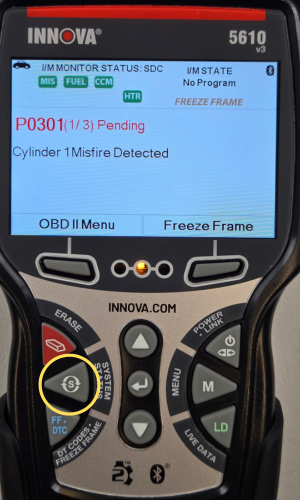
- Press the System Status button.
Step 2 - Select ECM (or PCM), then press the LD button

- The System Menu will display. Scroll through the options by pressing the DOWN ▼ button and select ECM (or PCM).
- While the blue bar is on top of ECM (or PCM), press the LD button for live data.
NOTE: You can also press the OK button when ECM (or PCM) is highlighted to view a list of options which includes Live data:
- Read Codes
- Erase Codes
- Live Data
- Active Tests
- Special Functions
Step 3 - View your OEM Live Data
|
|
|


- OEM Live Data will display. When you have finished viewing your OEM Live Data information, press the Back button to return to the System Menu.
- Press the UP ▲ & DOWN ▼ buttons to navigate through all the different OEM Live Data PIDs.