
Innova 5610: OBD Monitor Test
OBD Monitor Test - Mode $06
The OBD Monitor Test – Mode $06 function retrieves and displays test results for emission-related powertrain components and systems that are not continuously monitored. The tests available are determined by the vehicle manufacturer.
NOTE: The 5610 does not perform the OBD Monitor Test, but retrieves results from the most recently performed tests from the on-board computer’s memory. You may retrieve OBD Monitor Test results for only one test at any given time
Step 1 - Press the System Status or OBD II Menu button
|
|
|
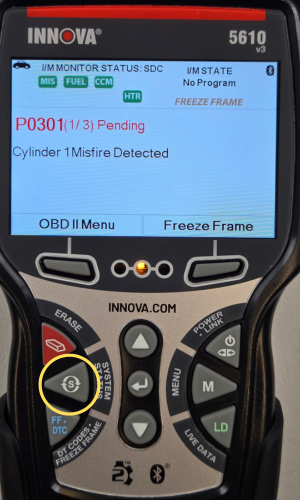

- To view OBD Monitor Test - Mode $06, press the System Status Menu or OBD II Menu button.

- If System Status was selected, next Select OBD II, then press ENTER ↵.
Step 2 - Select OBD Monitor Test - Mode 06

- The OBD II Menu will display.
- Select OBD Monitor Test - Mode 06 & press ENTER ↵.
Step 3 - The OBD Monitor Tests will display
|
|
|


- The available OBD Monitor Tests will display.
- Use the DOWN ▼ button to navigate to the OBD Monitor Test you wish to view, then press ENTER ↵.
- In this example, Misfire Cylinder Data was the OBD Monitor Test selected.
NOTE: If OBD Monitor Test data is not presently stored in the vehicle’s computer, an “advisory” message displays. Choose OBD2 Menu to return to the OBD2 Menu.
NOTE: If the OBD Monitor Test is not supported by the vehicle under test, an “advisory” message displays. Choose OBD2 Menu to return to the OBD2 Menu.
Step 4 - Select the Test

Select the desired test, then press ENTER ↵ to display the test results. The display shows the following information:
- Test ID number
- Module ID number
- Component ID number
- Min, Max test limit
- Test Value and Status
NOTE: Status is calculated by the 5610 by comparing the Test Value against the displayed test limit. Status is shown as either Low, High, or OK.
Step 5 - Next to view results or Back to Select Test

- Select Next to view the results of the next test.
- Press Back to return to the Select Test screen.