
Innova 5610: I/M Readiness Status
The vehicle’s computer stores a record of Monitor status upon completion of a full diagnostic check of all Monitored components and systems since the computer’s memory was last cleared.
The I/M Readiness Status - PIDs $01 & $41 function displays which particular vehicle Monitors have or have not run and completed testing of their designated sections within the vehicle’s emissions control system. Additionally, it provides the descriptions for each Monitor.
Step 1 - Press the OBD II Menu button
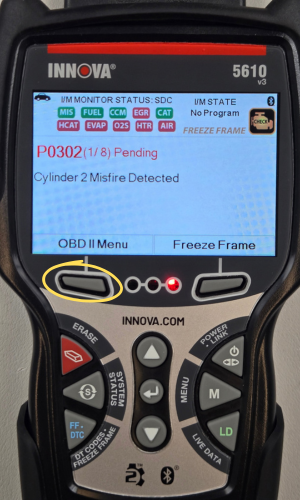
- Press the OBD II Menu button to access the OBD II Menu.
Step 2 - Select I/M Readiness Status, then press ENTER ↵
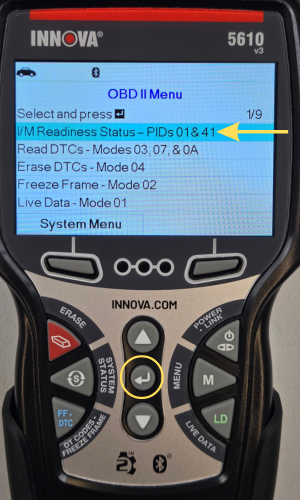
- Select I/M Readiness Status - PIDs 01 & 04, then press ENTER ↵.
Step 3 - Select Since DTCs Cleared or This Driving Cycle
|
|
|
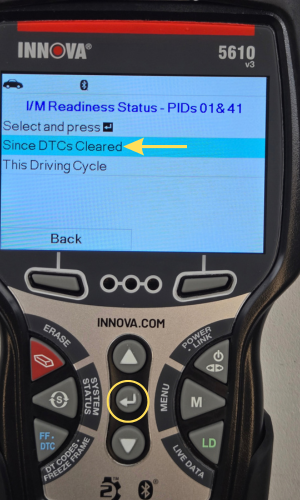
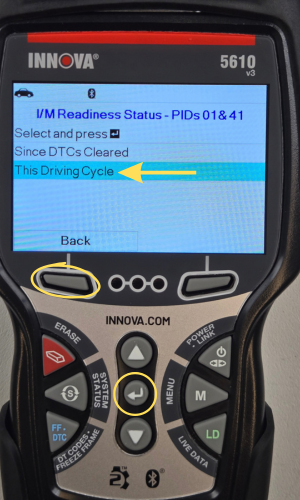
- Select Since DTCs Cleared or This Driving Cycle, then press ENTER ↵.
- Press the Back button to go back.
NOTE: If the vehicle under test does not support Since DTCs Cleared or This Driving Cycle, a warning message displays This vehicle does not support this Monitor type. Press the Back button to return.
Step 4 - Monitor Selection screen
|
|
|
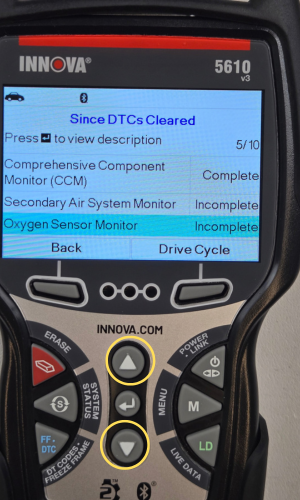
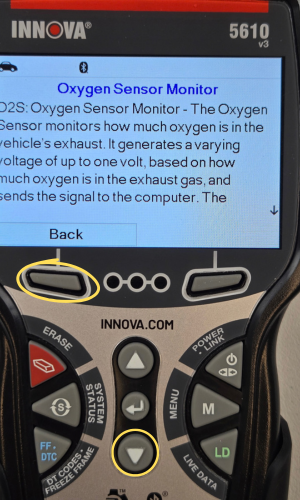
- The Monitor Selection screen displays listing all Monitors supported by the vehicle.
- Press UP ▲ or DOWN ▼ to scroll through the Monitors.
- To view a Monitor description, select the desired Monitor and press ENTER ↵.
Step 5 - Drive Cycle Procedures for Incomplete Monitors
|
|
|
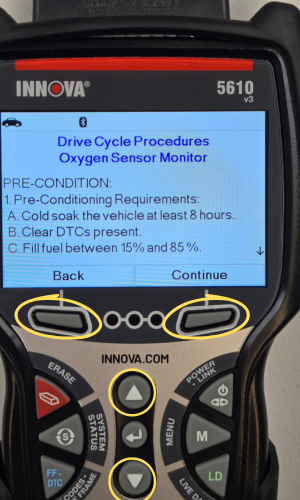
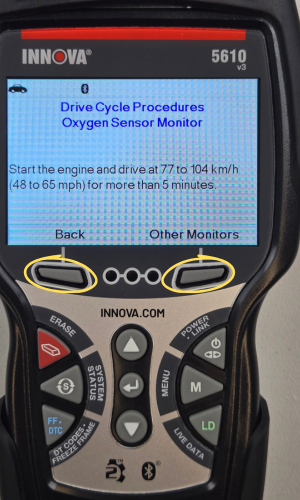
- To view Drive Cycle Procedures for a Monitor, select the desired Incomplete Monitor and press the Drive Cycle button.
- The Drive Cycle Procedure screen displays the specific set of operating procedures that ensure the vehicle is driven in such a way that all of the required Enabling Criteria for the Monitor to run and complete its diagnostic testing are met.
- When you finish viewing the Drive Cycle Procedures, press the the Back button to return.
NOTE: If Drive Cycle Procedures are not available for the vehicle, an advisory message displays. Press the Back button to return.