
Innova 5610: BCM Live Data
BCM live data refers to real-time information streamed directly from a vehicle's Body Control Module (BCM)—the onboard computer that manages convenience, comfort, and safety features like power windows, door locks, interior/exterior lighting, and windshield wipers. When you connect the Innova 5610 to your car, the live data stream lets you watch what the BCM is seeing and doing second-by-second.
Step 1 - Press System Status Button
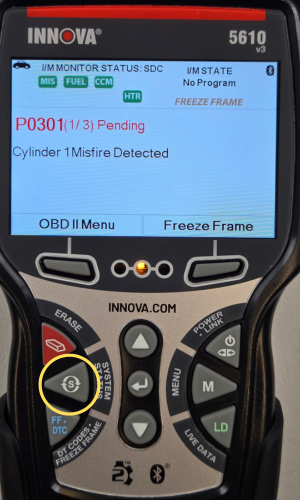
- Press the System Status button to access the System Status Menu.
Step 2 - Choose Module Selection
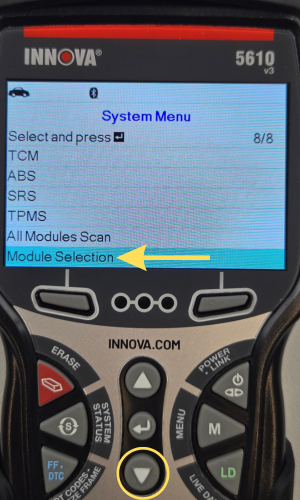
- Scroll down using the DOWN ▼ button, then choose Module Selection.
Step 3 - Scroll through Modules, then select BCM
|
|
|
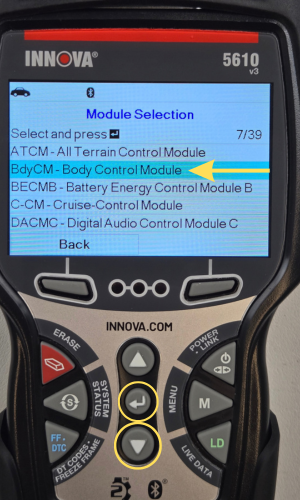
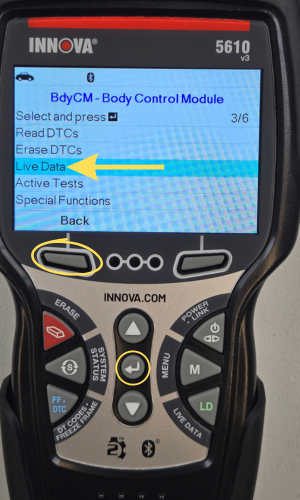
- Scroll through using the DOWN ▼ button until the BCM is selected, then press ENTER ↵. Also, you can just press the LD button when the module is highlighted to access BCM Live Data.
- Select Live Data, then press ENTER ↵. One moment please... message appears while loading.
- Press the Back button to return to Module Selection.
NOTE: The Body Control Module (BCM) may go by other names depending on the vehicle manufacturer. For example, Central Electronic Module (CEM) used by Volvo, Multiplex Control Unit (MCU) used by Toyota & Honda, or General Module (GM): Used by BMW (not to be confused with General Motors the car company).
Step 4 - View BCM Live Data or Custom BCM Live Data
|
|
|
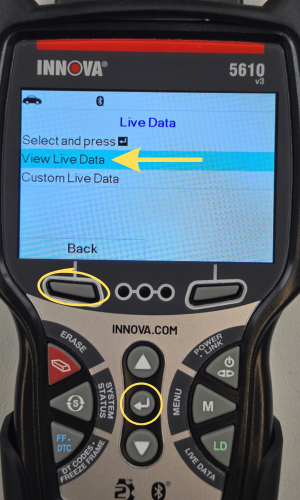
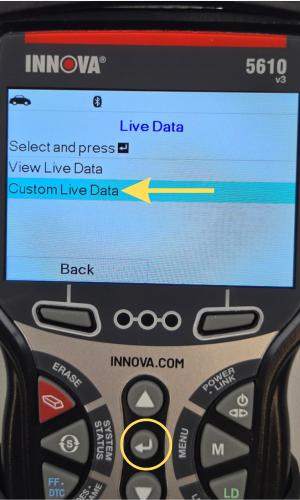
- You will now have 2 options: View Live Data & Custom Live Data.
- View Live data lets you view all the BCM live data PIDs supported & displayed.
- Custom Live Data lets you select the number of BCM PIDs that you wish to display.
Step 5 - Scroll through BCM Live Data
|
|
|
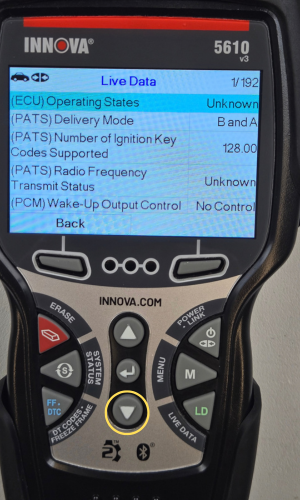
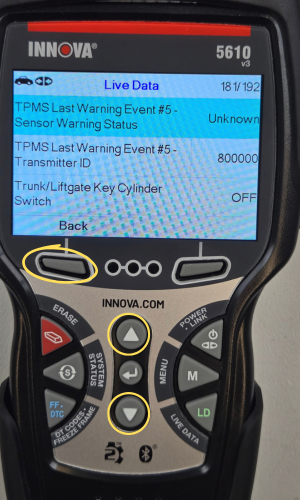
- Scroll through & view all your BCM live data PIDs supported.
- Scroll through the PIDs with the UP ▲ & DOWN ▼ buttons.
- Press the Back button to return to the previous screen.