
Innova 1000: Custom Scan
Custom Scan allows you to select each module individually to scan for any possible diagnostic trouble codes (DTCs) stored in that specific module.
Step 1 - Select Custom
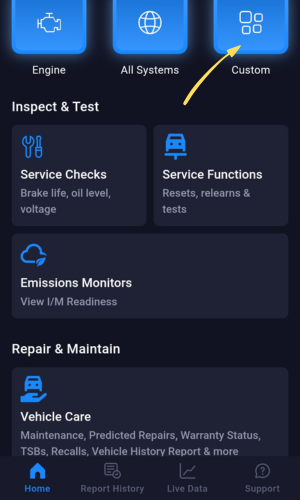
- Select Custom to open a list of modules to manually scan.
Step 2 - Select Tap to Load Modules
|
|
|
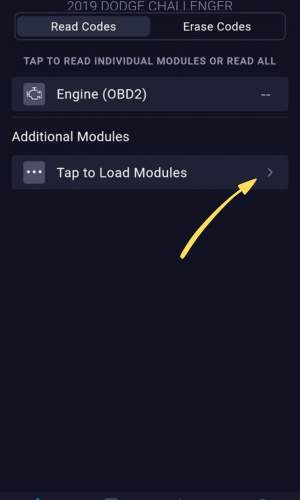
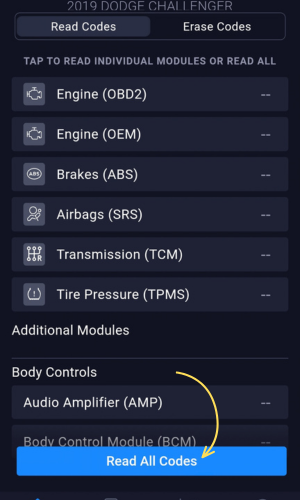
- Select Tap to Load Modules to have the RS2 app load all available modules.
- Keep scrolling through to view all available modules. Tap on the module you wish to view any stored DTCs.
- You can select Read All codes to scan every module at once.
Step 3 - Select Module to view DTCs
|
|
|
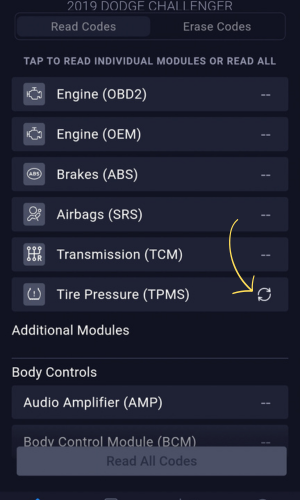
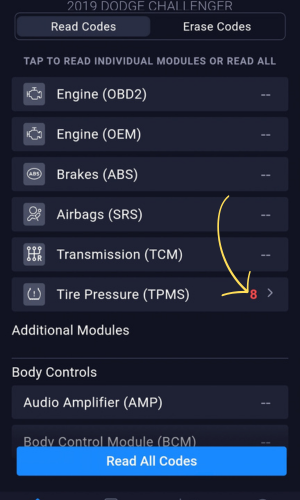
- Select the desired module to view any stored DTCs.
- In this example, the TPMS module was selected.
- After tapping on the module, the DTCs will start loading.
Step 4 - View DTCs & Descriptions
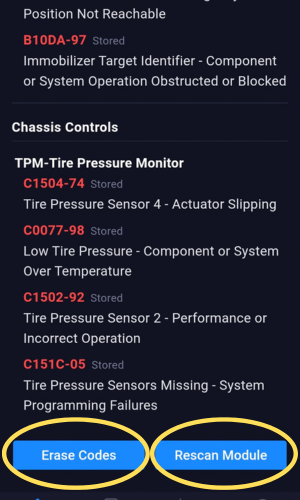
- Tap on the module after the DTCs finished loading to view the codes & descriptions.
- Tap on each code to view any additional code description information.
- Tap on Erase Codes to erase all codes listed. Tap Rescan Module to scan the module again.