
Innova 5610: HVAC Live Data
HVAC Live Data in vehicles refers to the real-time operational metrics and sensor readings from a car’s Heating, Ventilation, and Air Conditioning (HVAC) system. When you connect the Innova 5610 to a vehicle's OBD2 port, you can stream this live data directly from the climate control module or ECU to see exactly what the system is doing at that exact millisecond.
Step 1 - Press System Status Button
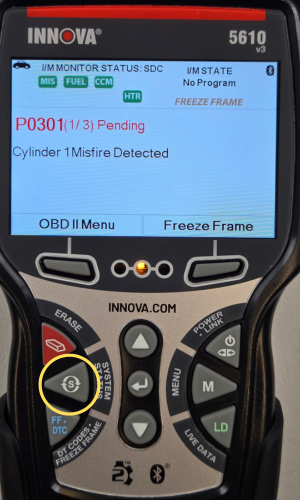
- Press the System Status button to access the System Status Menu.
Step 2 - Choose Module Selection
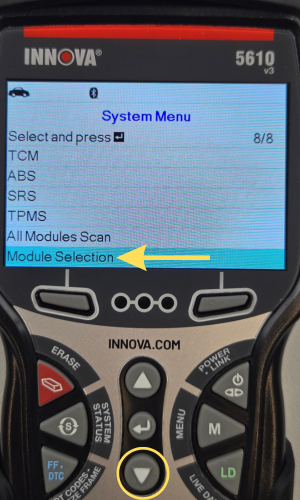
- Scroll down using the DOWN ▼ button, then choose Module Selection.
Step 3 - Scroll through Modules, then select HVAC
|
|
|
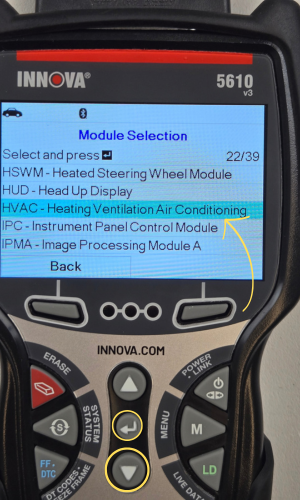
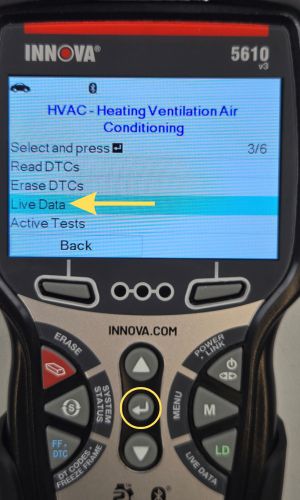
- Scroll through using the DOWN ▼ button until the HVAC is selected, then press ENTER ↵. Also, you can just press the LD button when the module is highlighted to access HVAC Live Data.
- Select Live Data, then press ENTER ↵. One moment please... message appears while loading.
- Press the Back button to return to Module Selection.
NOTE: HVAC might be labelled under a different name depending on the vehicle manufacturer.
Common Alternative Names:
- Climate Control System (or ECC - Electronic Climate Control): The most common consumer and industry-wide synonym, often used when referring to automated or digital temperature regulation.
- ATC (Automatic Temperature Control): Frequently used in engineering specs and window stickers for systems that maintain a set cabin temperature automatically.
- Air Management System: Often used by manufacturing assembly and packaging engineers to describe the physical ductwork, plenums, and blowers that route air through the vehicle.
- TAC / PTC Systems: Sometimes broken down by specific auxiliary heating/cooling functions, such as Positive Temperature Coefficient (PTC) heaters used in modern EVs.
Step 4 - View HVAC Live Data or Custom HVAC Live Data
|
|
|
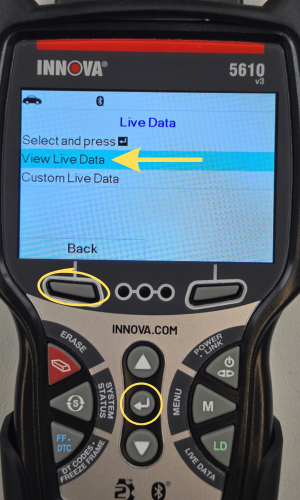
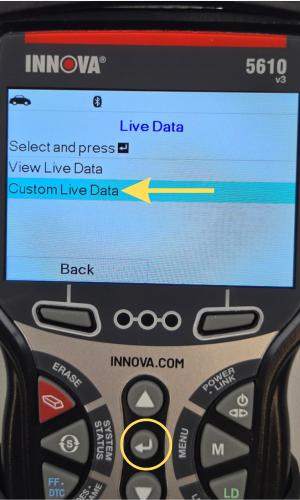
- You will now have 2 options: View Live Data & Custom Live Data.
- View Live data lets you view all the HVAC PIDs supported & displayed.
- Custom Live Data lets you select the number of HVAC PIDs that you wish to display.
Step 5 - Scroll through HVAC Live Data
|
|
|
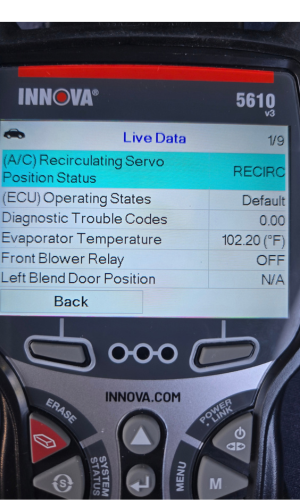
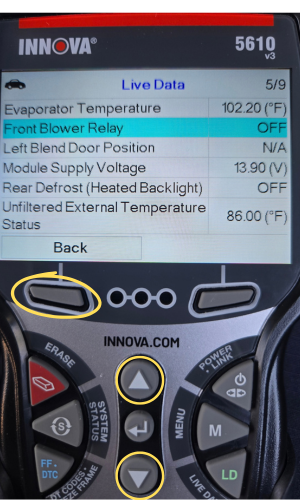
- Scroll through & view all your HVAC live data PIDs supported.
- Scroll through the PIDs with the UP ▲ & DOWN ▼ buttons.
- Press the Back button to return to the previous screen.