
Innova 5610: TPMS Relearn Procedure
TPMS Relearn Procedure
Use this function to initialize/relearn the Tire Pressure Monitoring System (TPMS), and turn off a TPMS light/message on the dashboard.
Step 1 - Press the M button
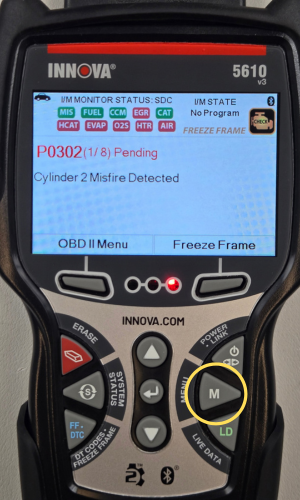
- Press the M button to access the Menu.
Step 2 - Select Service Reset
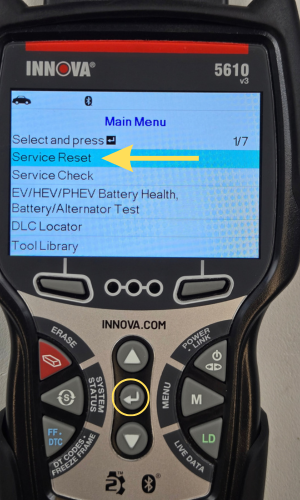
- Select Service Reset, then press ENTER ↵.
Step 3 - Select TPMS Relearn Procedure
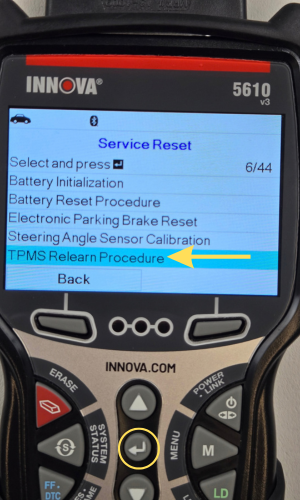
- Select TPMS Relearn Procedure, then press ENTER ↵.
Step 4 - Select Stationary or OBD Relearn
|
|
|
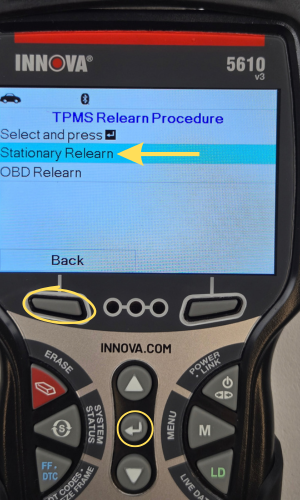
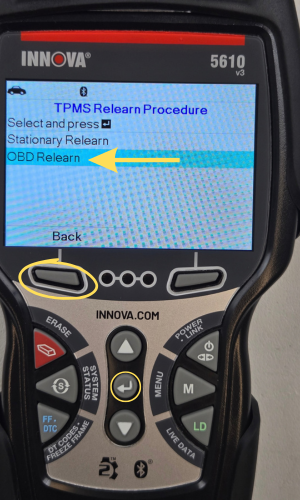
- Select Stationary Relearn or OBD Relearn, then press ENTER ↵.
- Press the Back button to return to the previous screen.
Step 5 - Follow TPMS Relearn Procedure
|
|
|
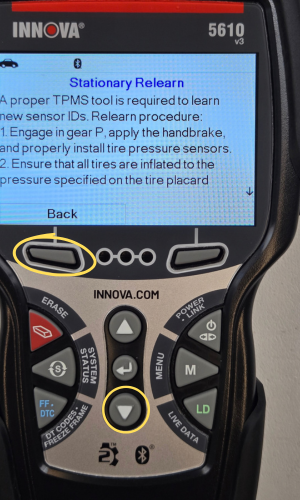
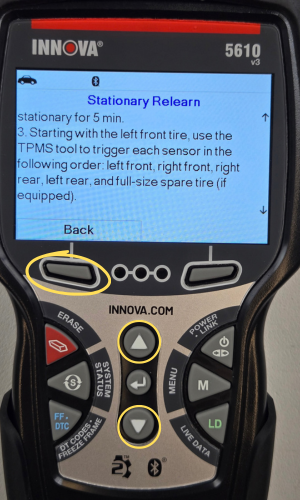
- Follow the TPMS Relearn Procedure displayed on screen.
- Press the UP ▲ and DOWN ▼ buttons to scroll through the TPMS Relearn Procedure.
|
|
|
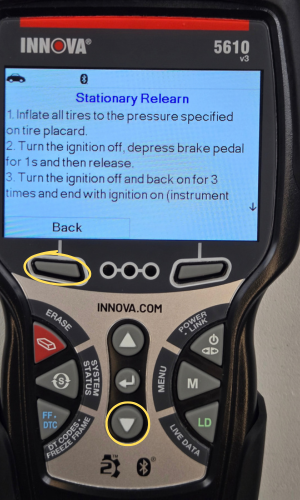
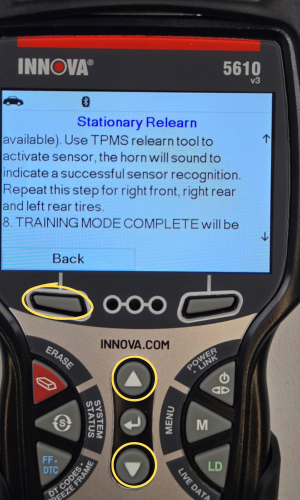
- Press the Back button to return to previous screen.
Step 6 - TPMS Relearn OBD
- To perform TPMS Relearn OBD, select TPMS Relearn OBD, then press ENTER ↵.
- A One moment please… message may display.
- One or more sub-menus will be displayed.
- Select the desired options. A results screen displays when the reset procedure has been completed. Select End, then press OK to terminate the process.